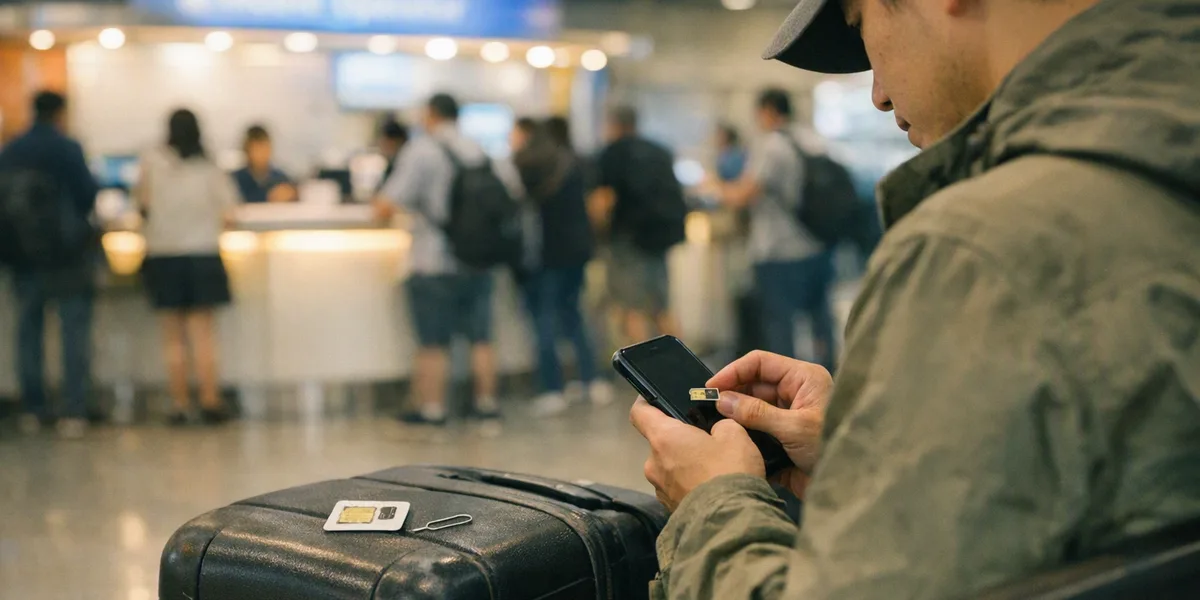
Landing at a major Asian airport without connectivity can turn a simple taxi booking into a stressful game of charades. The good news: airports from Bangkok to Tokyo offer free WiFi, and buying a local SIM card takes about five minutes. Whether you're grabbing an AIS SIM at Suvarnabhumi or activating an eSIM before your flight lands at Changi, staying connected means you can book your ride, message your hotel, and avoid those brutal roaming charges. Here's what actually works at six major Asian hubs in 2026.
Bangkok Suvarnabhumi (BKK) offers unlimited free WiFi through the 'AOT Free WiFi' network-just enter your passport number and you're connected for the duration of your stay. Singapore Changi (SIN) provides three hours of free WiFi without registration, then requires a simple SMS verification for extended access. Tokyo Narita (NRT) gives you one hour free via 'FreeWiFi@Narita', renewable with a new email address. Dubai International (DXB) offers free WiFi throughout all terminals with no registration, though speeds can crawl during peak hours.
Delhi Indira Gandhi (DEL) provides 'Tata Docomo Free WiFi' after mobile number verification-foreign numbers work fine. Osaka Kansai (KIX) delivers unlimited 'FreeWiFi@KIX' after a quick registration. Reality check: speeds range from 5-15 Mbps, enough for WhatsApp and booking a Grab, but don't plan on uploading your entire camera roll to iCloud.
At Suvarnabhumi Airport, you'll find SIM card booths from AIS, DTAC, and TrueMove before and after immigration. AIS Tourist SIM packages start at 299 baht ($8.50) for 15GB valid 8 days, or 599 baht for 50GB/15 days. The booths are open 24/7 in the arrival halls of both terminals. Staff will cut your SIM to size, install it, and test that it works-the whole process takes three minutes. AIS covers 99% of Thailand including remote islands, which matters if you're heading to Koh Lanta or Pai.
DTAC runs slightly cheaper at 249 baht for similar packages but has weaker coverage outside Bangkok. TrueMove offers competitive pricing but longer queues. All three carriers support hotspot tethering, so you can share data with travel companions. Pro move: skip the queue by buying an AIS eSIM online before departure for the same price, activated the moment you land.
Singapore Changi hosts Singtel, StarHub, and M1 kiosks in all four terminals, clustered near baggage claim. Singtel's tourist SIM ($15 SGD, about $11 USD) includes 100GB data for 15 days plus local calls-it's overkill for most visitors but the network is bulletproof across Singapore and into Malaysia via roaming. StarHub offers a $12 prepaid SIM with 40GB/8 days, sufficient for a typical Singapore stopover. M1's $10 SIM gets you 20GB but slightly slower speeds in the CBD.
All three operate on 5G networks in downtown Singapore, Sentosa, and Marina Bay. The kiosks stay open from 6am to midnight, with vending machines available 24/7 if you arrive on a red-eye. Activation is instant for physical SIMs. Singapore allows tethering on all tourist plans, and you'll get legitimate 100+ Mbps speeds downloading Google Maps for Malaysia or Indonesia. If you're transiting through Changi to Bali or Bangkok, the SIM remains active-just expensive for actual calls outside Singapore.
Tokyo Narita still has physical SIM counters from NTT Docomo, SoftBank, and IIJmio in Terminal 1 and 2 arrival lobbies, but eSIM has become the smarter play in Japan. Services like Ubigi, Airalo, and Japan's own IIJmio eSIM offer 1GB for $5, 10GB for $15, or 20GB for $25, activated before you land. The advantage: Japan's immigration lines can stretch 90 minutes during Chinese holiday weeks, and you'll have connectivity the second you clear customs.
Physical SIMs at Narita cost ¥3,000-¥4,500 ($20-30) for 7-day unlimited data from the big carriers. IIJmio's physical tourist SIM (¥2,500 for 10GB/30 days) offers the best value but runs on slower MVNO speeds. All options work nationwide, crucial since Japan's free WiFi situation outside airports is surprisingly spotty. Note: Japanese SIMs are data-only for tourists-no voice calls, though VoIP works fine. If you need to call your ryokan in Kyoto, use WhatsApp or LINE.
Dubai International Airport's Etisalat and du counters charge tourist premium pricing compared to city shops. Etisalat's Visitor Mobile Line starts at AED 104 ($28) for 10GB/30 days with local calls, while du's Tourist SIM costs AED 85 ($23) for similar specs. Both kiosks sit in Terminal 1 and 3 arrival halls, open 24/7, and the staff speak English, Arabic, Hindi, and Tagalog. Here's the catch: identical SIMs cost AED 55-65 at city Carrefour or Lulu supermarkets, but you need your passport and a UAE address for registration.
For a 2-3 day Dubai layover, the airport premium makes sense. For longer stays, grab a Grab to any mall and save 40%. Both carriers offer solid 4G coverage across Dubai, Abu Dhabi, and the Northern Emirates. 5G coverage exists in Downtown Dubai and Dubai Marina but requires pricier plans. Data speeds hit 50-80 Mbps consistently, enough to video call home while your driver navigates Sheikh Zayed Road traffic.
Tethering works on all tourist plans without throttling.
Delhi Indira Gandhi Airport sells Airtel and Vodafone Idea prepaid SIMs in T3 arrival hall, but India's mandatory biometric registration creates a 2-4 hour activation delay. The SIM physically works immediately for data, but calls and SMS require government verification-frustrating if you need to confirm your hotel pickup. Airtel's tourist package costs ₹599 ($7) for 28 days with 2GB daily data (56GB total) plus unlimited local calls. Vodafone Idea runs ₹549 for similar specs but patchier coverage outside major cities.
The airport booths require your passport, visa, and a local reference contact (your hotel's number works). Better strategy: order an Airtel eSIM online 24 hours before arrival using your hotel address-it's pre-verified and activates on landing. Physical SIMs make sense if you're touring Rajasthan or Kerala where eSIM support is limited. Jio technically offers the best coverage nationwide but doesn't sell tourist SIMs at DEL-city shops only.
India caps data speeds at 15-25 Mbps regardless of carrier, enough for navigation and ride apps but painful for streaming.
Major Asian airports now support eSIM purchases through apps like Airalo, Holafly, and regional carrier apps, but compatibility matters. iPhone XS and newer, Google Pixel 3+, and Samsung Galaxy S20+ all handle eSIM. Airalo's Asia-wide eSIM costs $27 for 10GB across 15 countries valid 30 days-genuinely useful if you're hitting Bangkok, Singapore, and Kuala Lumpur in one trip. The downside: eSIMs typically offer data-only, no local phone number for OTP verification when booking Indian trains or Indonesian domestic flights.
Physical SIMs give you that local number, work on older phones, and can be shared between devices if needed. Thailand and Singapore have embraced eSIM fully with instant activation. Japan's eSIM activation takes 1-2 minutes. India's eSIM still requires the same verification as physical SIMs, negating the speed advantage. Dubai's carriers charge 30% more for eSIM plans, making physical cards cheaper. Real talk: bring an unlocked phone for physical SIMs, or verify your device supports eSIM before relying on it as your only option.
If you're flying Bangkok to Singapore to Tokyo within two weeks, buying three separate SIMs costs $25-35 total versus $45-60 for a regional eSIM plan. But the hassle factor matters-swapping SIMs mid-trip means remembering which goes where, and you'll lose your Thai number when switching to Singapore. Smarter play: use free airport WiFi to book your immediate taxi via Grab or Gojek, then buy the local SIM once you're settled at your hotel, where competition drives prices down 20-40% versus airport kiosks.
Exception: if you're landing at 11pm in Delhi or doing a 6am arrival in Dubai, pay the airport premium for immediate connectivity. For stays under 4 days, just use airport WiFi and hotel WiFi-a $2/day international roaming add-on from your home carrier beats buying a $15 SIM you'll barely use. The real money saver: check if your credit card includes international roaming (Amex Platinum, Chase Sapphire Reserve both offer varying perks) before spending anything.
Your phone's WiFi calling feature works over any network, keeping your home number active for free-useful for two-factor authentication that won't accept foreign numbers.
Thailand's advertised 'unlimited' SIMs from AIS actually throttle to 512 kbps after your daily cap, fine for Google Maps but useless for Zoom calls. Singapore's carriers deliver genuine unlimited at full speed, reflecting the city-state's fiber-everywhere infrastructure. Japan's data speeds reach 100+ Mbps on major carriers but drop to 10-20 Mbps on budget MVNOs like IIJmio-still workable. Dubai's networks throttle streaming video to 480p regardless of your data plan to manage network congestion.
India's daily data caps reset at midnight IST, so a 2GB/day plan means careful rationing if you're uploading photos or downloading Netflix episodes. Practical bandwidth needs: Google Maps offline download for a full country uses 300MB-1GB depending on detail level. A 30-minute WhatsApp video call eats 300-400MB. Booking a Grab and checking email all day uses maybe 100MB total. Instagram scrolling burns 500MB/hour.
Most tourists use 1-2GB daily max unless streaming video. Buy accordingly-the 50GB packages are mostly marketing.
Your phone must be carrier-unlocked, non-negotiable-US phones from AT&T or Verizon bought on contract often remain locked for 60 days after payoff. Test this before departure by borrowing a friend's SIM. At the airport, watch the vendor test the SIM before you leave the counter; staff will know immediately if your phone is locked or incompatible. For eSIM, download the carrier app or QR code while still on airport WiFi-mobile data won't work until the eSIM activates, creating a catch-22.
Keep your original home SIM in a safe place; hotel safes work, or tape it inside your passport holder. Write down the new local number since you won't have memorized it-needed for Grab driver calls or hotel contacts. Some phones (particularly Xiaomi, Oppo) require manual APN settings for foreign SIMs; the vendor should configure this, but Google your phone model + carrier name if data doesn't work immediately.
Battery drain increases with poor signal, common in airport taxi queues with concrete blocking signals-your new SIM might show full bars but actually be hunting for towers, killing your battery 30% faster than normal.
Every issue discussed in this guide - overcharging, scams, language barriers, unreliable apps, long queues - has one simple solution: pre-book your airport transfer before you fly. A pre-booked transfer gives you a fixed price confirmed in advance, a named driver tracking your flight and waiting at arrivals, and zero negotiation. Most vehicle classes can be cancelled free of charge up to 5 hours before pickup, so booking early costs you nothing.
Start by checking our airport guides below for specific local advice, prices and transport options at your arrival airport.
Read our detailed transfer guides for airports mentioned in this article:
Specific route guides with prices and transport comparisons: